
In this article (20 sections)
- Key Takeaways
- What Is the FOREX.com Login?
- Important Safety Note Before You Log In
- FOREX.com Login vs MyAccount Login
- How to Access the FOREX.com Login Page Safely
- How to Use FOREX.com Mobile Login
- Demo Account Login
- What to Do If Your FOREX.com Login Does Not Work
- How to Reset Your FOREX.com Password
- Clearing Cache and Cookies
- Account Locked or Too Many Failed Attempts
- How to Make Your FOREX.com Account More Secure
- How to Spot FOREX.com Phishing Attempts
- What You Can Do After Logging In
- Managing Deposits, Withdrawals and Profile Settings
- Trading Risk After Login
- Common Mistakes With FOREX.com Login
- FOREX.com Login Checklist
- Final Thoughts
- Frequently Asked Questions
Key Takeaways
- The FOREX.com login page lets clients access trading platforms, demo accounts or account-management tools, depending on the region and account type.
- Always use the official FOREX.com website or official mobile app before entering your username, email or password.
- Do not click login links from suspicious emails, ads, pop-ups or social media messages.
- If you cannot log in, start with the official password-reset flow before trying other troubleshooting steps.
- Clearing browser cache and cookies can help if the login page is not loading correctly.
- Use a strong, unique password and enable any extra security options available for your account.
- This guide is independent and informational. It is not the official FOREX.com login page.
What Is the FOREX.com Login?
The FOREX.com login is the account-access process used by clients to enter their trading account, demo account or account-management area.
Depending on your region and account type, logging in may give you access to:
- a live trading platform
- a demo trading account
- Web Trader
- mobile trading
- account funding
- withdrawal requests
- profile management
- password and account settings
- platform tools and reports
FOREX.com may use different login pages for different regions, platforms and account areas. For example, trading-platform login and MyAccount login may not be the same thing.
That is why the safest approach is to start from the official FOREX.com website for your country, then choose the relevant login option from there.
Important Safety Note Before You Log In
Branded login searches can attract fake pages. A scammer may create a page that looks like FOREX.com to steal usernames, passwords or identity documents.
Before entering your login details, check:
- the website address is the official FOREX.com domain
- the page uses HTTPS
- the page is not a sponsored lookalike or unrelated third-party site
- the spelling of the brand is correct
- the login page was reached from FOREX.com itself or an official app store
- the site is not asking for unusual information
- you are not being pressured to deposit quickly
- the page does not ask for your full password by email or chat
If something looks wrong, close the page and type the official FOREX.com address into your browser manually.
FOREX.com Login vs MyAccount Login
FOREX.com account access can involve more than one login area.
A trading-platform login is used to access trading tools, charts, positions and order tickets.
MyAccount is usually used for account-management tasks such as funding, withdrawal requests and profile updates.
| Login area | Main purpose |
|---|---|
| Trading account login | Access trading platforms and market tools |
| Demo account login | Practise with virtual funds |
| MyAccount login | Fund, withdraw, update details and manage profile |
| Mobile app login | Access account tools from a phone or tablet |
| MetaTrader login | Access MT4 or MT5 if your account uses MetaTrader |
| TradingView connection | Connect compatible FOREX.com accounts where supported |
If you are trying to place or manage trades, use the trading-platform login. If you are trying to deposit, withdraw or update personal details, MyAccount may be the correct area.
How to Access the FOREX.com Login Page Safely
Use this process to reduce the risk of landing on a fake login page.
Step 1: Go to the official FOREX.com website
Open your browser and manually type the FOREX.com website address. Avoid clicking login links from emails, pop-ups, forums or social media posts.
Step 2: Choose your country or region
FOREX.com pages can differ by region. Make sure you are on the version intended for your location.
This matters because products, platforms, account access and risk warnings may differ by country.
Step 3: Select the correct login option
Look for the login or account-access option on the official site.
Choose the correct login based on what you need:
- live trading account
- demo account
- MyAccount
- mobile platform
- MT4 or MT5
- other platform connection
Step 4: Enter your username or email
Use the username or email connected to your FOREX.com account. Double-check spelling before submitting.
Step 5: Enter your password carefully
Passwords are case-sensitive. Make sure capital letters, lowercase letters, numbers and symbols are entered correctly.
Step 6: Complete any security checks
If your account uses extra authentication, complete the required security step.
This may involve a security code, device check or other account-protection measure depending on your region and platform.
Step 7: Confirm you are in the correct account area
After logging in, check that you are in the correct section before taking action. For example, do not confuse a demo account with a live account.
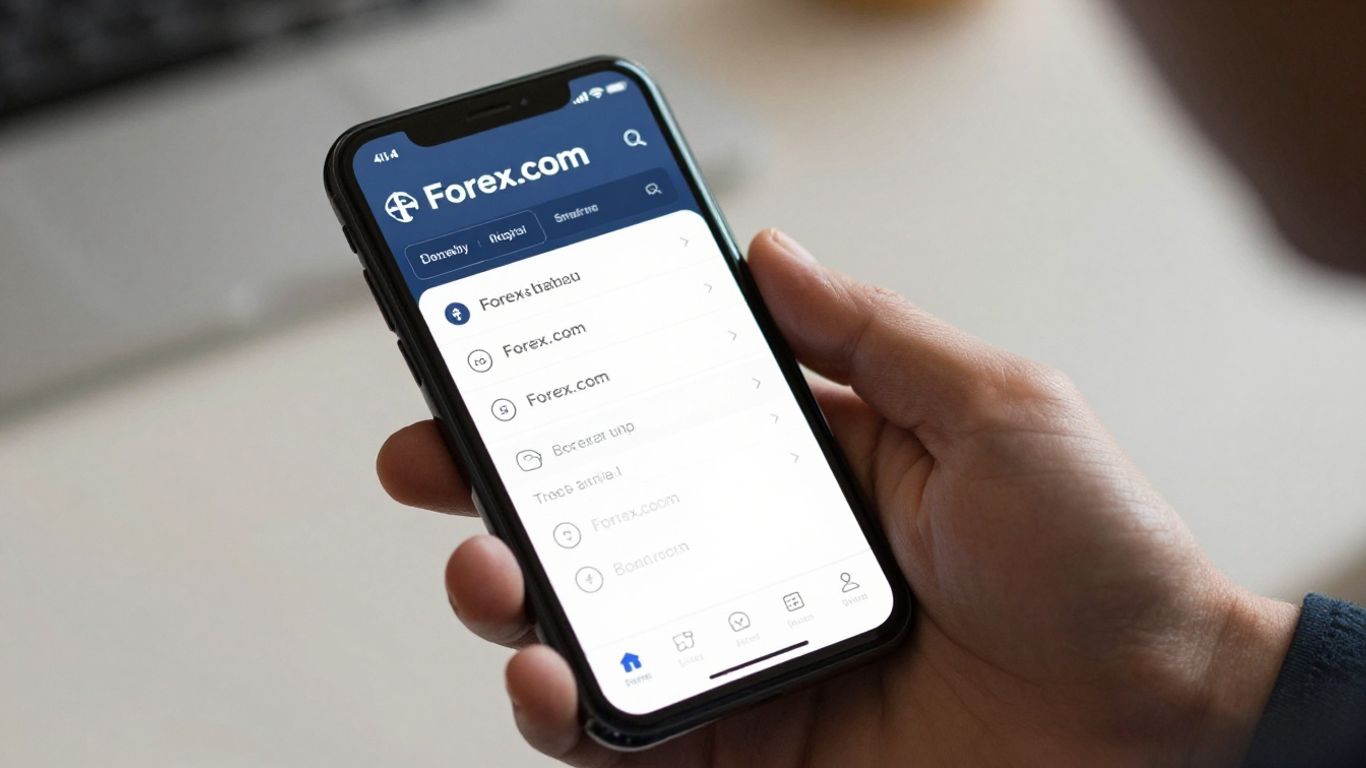
How to Use FOREX.com Mobile Login
FOREX.com provides mobile app access in supported regions. Mobile login can be useful for checking account status, monitoring markets and managing positions while away from a desktop computer.
To use mobile login safely:
- Download the app only from the official app store or from links on the official FOREX.com website.
- Check the app publisher before installing.
- Avoid downloading trading apps from random ads or file-sharing sites.
- Log in with your existing credentials.
- Use any available device-security settings.
- Keep your phone operating system updated.
- Do not save passwords on a shared device.
Mobile access is convenient, but it should not replace careful trade planning. If you are placing complex trades, reviewing margin or changing account settings, a desktop environment may be easier to manage.
Demo Account Login
A FOREX.com demo account is different from a live account. It allows users to practise on a simulated account environment without using real funds.
A demo login may be useful for:
- testing the platform
- learning order types
- practising chart navigation
- testing alerts
- understanding spreads and pricing display
- learning stop-loss and take-profit placement
- building confidence before live trading
Demo trading does not fully recreate live trading conditions. It does not include the same emotional pressure, withdrawal process or real-money consequences.
If you cannot access your demo account, use the official demo login or password-reset options rather than creating repeated duplicate accounts.
What to Do If Your FOREX.com Login Does Not Work
Login issues are common and usually have simple causes.
Start with these checks:
- Confirm you are on the official FOREX.com site.
- Check that your username or email is correct.
- Retype your password carefully.
- Check whether Caps Lock is on.
- Make sure your internet connection is stable.
- Try a different browser.
- Clear browser cache and cookies.
- Disable browser extensions that may interfere with forms.
- Try the official mobile app if web login is not loading.
- Use the official password-reset page if needed.
If none of these steps work, contact FOREX.com support through the official website.
Never ask strangers in forums or social media groups to help you access your account.
How to Reset Your FOREX.com Password
If you forgot your password, use the official password-reset process.
A safe password-reset flow usually looks like this:
- Go to the official FOREX.com password-reset page.
- Enter the requested account details.
- Check the email linked to your account.
- Open the reset email from FOREX.com.
- Create a new strong password.
- Log in again from the official site.
- Review your account activity after logging in.
If you do not receive a reset email, check your spam or junk folder. Also confirm that you are using the email connected to your account.
If you receive a password-reset email that you did not request, do not ignore it. Log in safely from the official site, change your password and contact support.
Clearing Cache and Cookies
Browser cache and cookies can sometimes cause login problems.
You may need to clear them if:
- the login page keeps refreshing
- buttons do not work
- the page loads incorrectly
- you are redirected in a loop
- old login data keeps appearing
- you recently changed your password
After clearing cache and cookies, close the browser fully, reopen it and try again from the official FOREX.com website.
Be aware that clearing cookies may log you out of other websites.
Account Locked or Too Many Failed Attempts
Some accounts may temporarily lock after repeated failed login attempts. This is a security measure designed to protect the account.
If this happens:
- stop trying random password combinations
- wait for the lockout period if shown
- use the official password-reset process
- contact FOREX.com support if the lockout continues
- review whether someone else may have tried to access your account
Repeated failed attempts can make recovery slower, so use the reset flow early if you are unsure of the password.
How to Make Your FOREX.com Account More Secure
Account security matters because a trading account may contain personal information, financial data and access to live trading.
Use these basic security practices:
- use a strong, unique password
- do not reuse passwords from other websites
- use a password manager if needed
- enable any available extra authentication options
- keep your email account secure
- do not share login credentials
- avoid logging in from public computers
- avoid public Wi-Fi for account access
- update your browser and mobile app
- review account activity regularly
- log out after using a shared device
Your email account is especially important. If someone controls your email, they may be able to reset passwords on other accounts.
How to Spot FOREX.com Phishing Attempts
Phishing attempts are fake messages or pages designed to steal login details.
Be cautious if a message:
- asks for your password
- asks you to verify your account through a suspicious link
- creates urgency around account closure
- promises a bonus or reward for logging in
- contains spelling or grammar mistakes
- uses an email address that does not match the official brand
- sends you to a strange domain
- asks for identity documents outside the official account portal
- asks for payment through unusual methods
FOREX.com login details should only be entered on official FOREX.com pages or official apps.
If you are unsure, do not click the link. Go to the official site manually.
What You Can Do After Logging In
After a successful login, you may be able to access different tools depending on your account type and region.
Common account actions include:
- viewing account balance
- checking open positions
- placing trades
- closing trades
- reviewing order history
- setting price alerts
- accessing charts
- viewing platform tools
- funding an account
- requesting withdrawals
- updating profile information
- changing password or account settings
- reviewing statements or reports
Before placing trades, make sure you understand whether you are using a live account or a demo account.
Managing Deposits, Withdrawals and Profile Settings
Funding and withdrawal actions may take place through MyAccount or another account-management area.
Before depositing or withdrawing, check:
- account currency
- minimum deposit
- withdrawal method
- processing time
- verification requirements
- fees
- bank or card rules
- whether the payment method is in your own name
- whether open positions affect available funds
Keep your personal details up to date. Outdated address, phone or identity details can delay withdrawals or account changes.
Trading Risk After Login
Logging in gives access to trading tools, but it does not mean trading is suitable for everyone.
Forex and CFD trading can involve leverage. Leverage can magnify both gains and losses. A trader can lose money quickly if the market moves against them.
Before trading live, understand:
- margin
- leverage
- spreads
- commissions
- overnight funding
- stop-losses
- position size
- market volatility
- account risk
- whether the product is suitable for you
Do not trade money you cannot afford to lose.
Common Mistakes With FOREX.com Login
Avoid these mistakes:
- using a search result without checking the domain
- clicking login links from emails or social media
- entering credentials on a fake page
- using the same password across multiple sites
- ignoring password-reset emails you did not request
- logging in on public Wi-Fi without protection
- confusing demo and live accounts
- trying repeated passwords after failed login attempts
- using outdated mobile apps
- not updating personal information
- assuming MyAccount and trading-platform login are the same
- contacting unofficial support accounts on social media
Most login problems are easier to fix when you stay on official support channels.
FOREX.com Login Checklist
Use this checklist before logging in:
- Confirm you are on the official FOREX.com website or app.
- Check that you are using the correct regional site.
- Choose the correct login area.
- Enter the correct username or email.
- Enter the password carefully.
- Complete any required security check.
- Confirm whether you are in a live or demo account.
- Review account activity after login.
- Log out when using shared devices.
- Contact official support if anything looks unusual.
This process helps protect your account and reduces the risk of login errors.
Final Thoughts
The FOREX.com login process is usually straightforward, but account access should always be handled carefully. Use the official website or official app, check the domain before entering credentials, keep your password secure and use the official reset flow if you cannot log in.
For troubleshooting, start with simple checks: username, password, browser cache, cookies and region-specific login pages. If the issue continues, contact FOREX.com support through official channels.
A login guide should help users access their account safely. It should not encourage rushed trading, unsafe links or casual handling of account credentials. Treat your trading login like access to a financial account, because that is exactly what it is.
Frequently Asked Questions
What is the FOREX.com login?
The FOREX.com login is the process used to access a FOREX.com trading account, demo account or account-management area.
Where is the official FOREX.com login page?
The safest way to find the official login page is to go directly to the official FOREX.com website for your country and choose the relevant login option.
Why can’t I log in to FOREX.com?
Common reasons include an incorrect username or email, wrong password, Caps Lock, browser cache issues, account lockout, regional login mismatch or a temporary platform issue.
How do I reset my FOREX.com password?
Use the official FOREX.com password-reset page. Enter the requested account details, follow the email instructions and create a new strong password.
Can I log in to FOREX.com on mobile?
Yes, FOREX.com provides mobile app access in supported regions. Download the app only from official app stores or links on the official FOREX.com website.
Is FOREX.com MyAccount the same as trading login?
Not always. MyAccount is usually used for account management, such as funding, withdrawals and profile updates, while trading login is used to access trading platforms.
How do I keep my FOREX.com account safe?
Use a strong unique password, enable any available extra security settings, avoid suspicious links, keep your email secure and log in only through official FOREX.com pages or apps.
What should I do if I receive a suspicious FOREX.com email?
Do not click the link. Go to the official FOREX.com website manually and contact support through official channels if you are unsure.
Can I use the same login for demo and live accounts?
This can depend on your account setup and region. Use the official FOREX.com login options and password-reset tools for the specific account type you need.
Is logging in the same as being ready to trade?
No. Logging in only gives account access. Before trading live, make sure you understand leverage, margin, fees, risk, platform tools and whether trading is suitable for you.




 Join Our Free Group
 Twitter